Recycle Bin
Once a course wraps up, all associated course machines — such as the Fresh Start, Trainer, and every Participant machine — are taken down after a short window.
A feature has been introduced that lets you recover these machines from the 'Recycle Bin' for a period after they've been removed from the course. How long machines remain restorable depends on several factors, including server disk space and course usage, rather than a fixed timeframe. However, you can generally expect machines to be recoverable for at least a couple of months after the course concludes.
Each machine can be Restored back to its original Course, if the Course is still active; otherwise, it can be Restored to a Standalone Desktop, or, if you'd rather, Deleted outright.
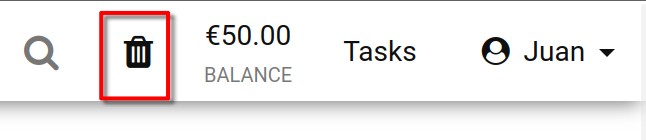
You can check the status of your Recycle bin by glancing at the Recycle Bin Icon. A black icon means there are machines available to restore; a greyed-out icon indicates the bin is empty and nothing can be brought back.
You can also search through the list of machines in your recycle bin by name, server name, or course name.
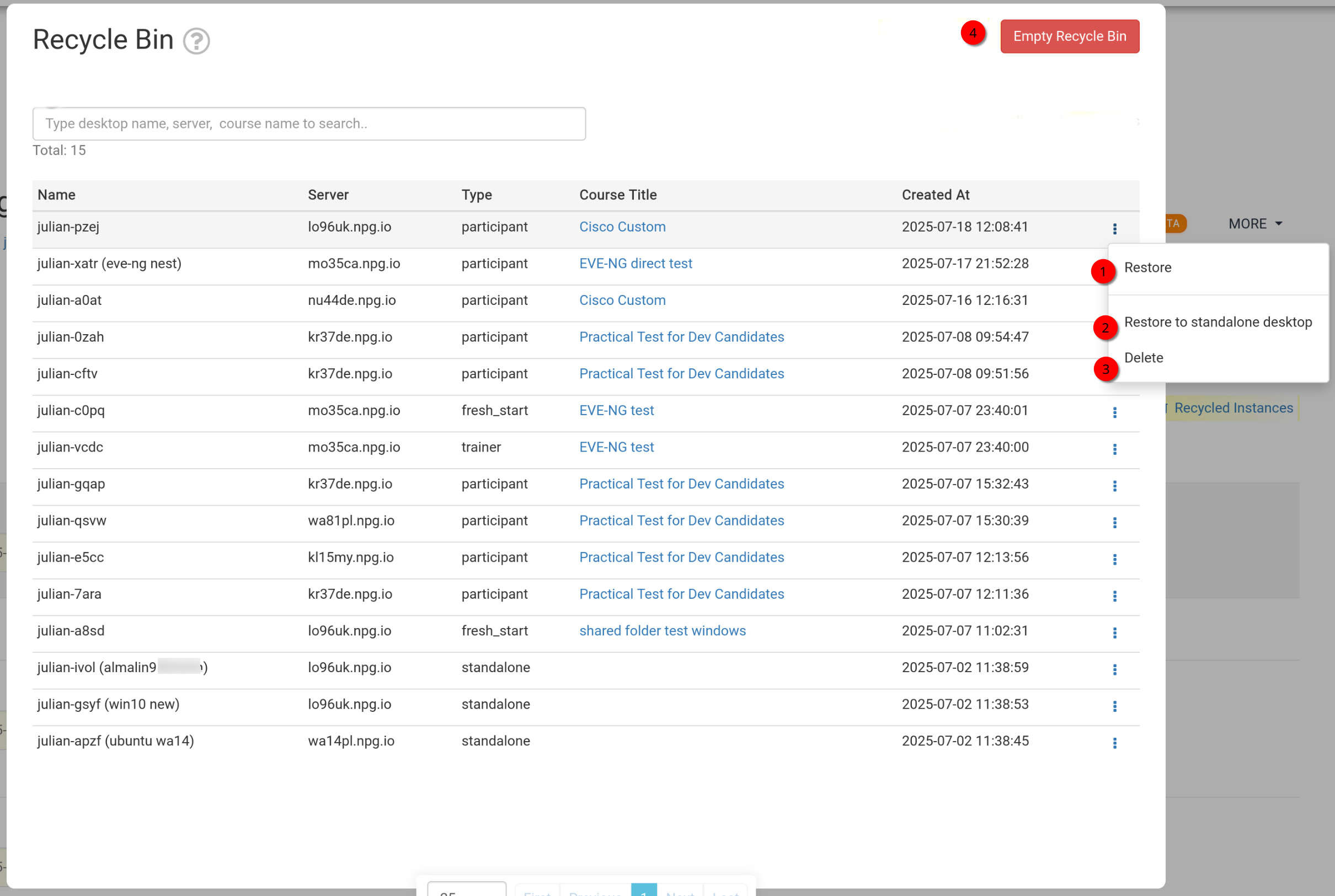
How to Restore or Delete your machines from the Recycle Bin
- Restore - Use this to bring back a machine that was removed from a course. The machine will return to the course it belongs to. If the course is already finished, the machine can't be restored there and can only be brought back as a Standalone machine instead, as described below.
- Restore to Standalone Desktop - This option is normally used when your course has ended and restoration to the course isn't possible. Going the Standalone route gives you more flexibility, as the machine will be kept for as long as you need it.
- Delete - To permanently remove a machine from the Recycle Bin, choose 'Delete'. Note that once a machine is deleted from the Recycle bin, it cannot be restored.
- Empty Recycle Bin - Clicking the red Empty Recycle Bin button will permanently delete all your machines from the Recycle Bin, meaning they can't be recovered afterwards.