Course VPN
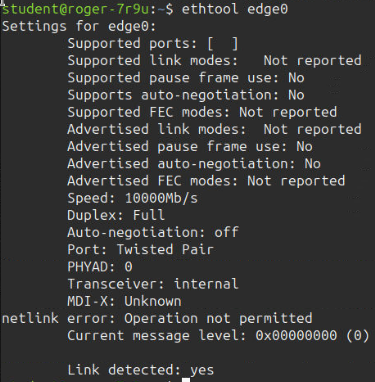
The Course VPN (CVPN) capability facilitates direct communication between desktops.
Enabled by default, Course VPN supports interaction among any desktops within a designated course, irrespective of the associated server or data centre.
The following terminal captures illustrate the CVPN interface as viewed from the command line.
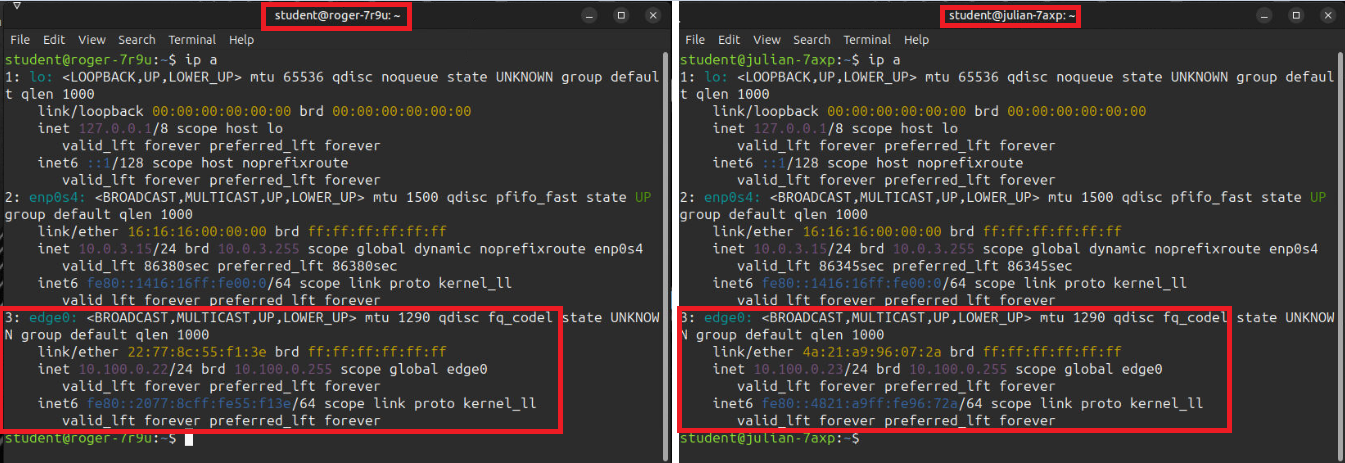
Terminal IPs:
The images below depict the VPN network interface generated upon the creation of training workstations. Here, two student workstation terminals display the `edge0` network interface, representing the course VPN. These addresses are unique to each machine and serve as the endpoint for establishing connectivity between the two systems.
Additional Properties: