My Account
Each user has a number of parameters that can be adjusted in their account.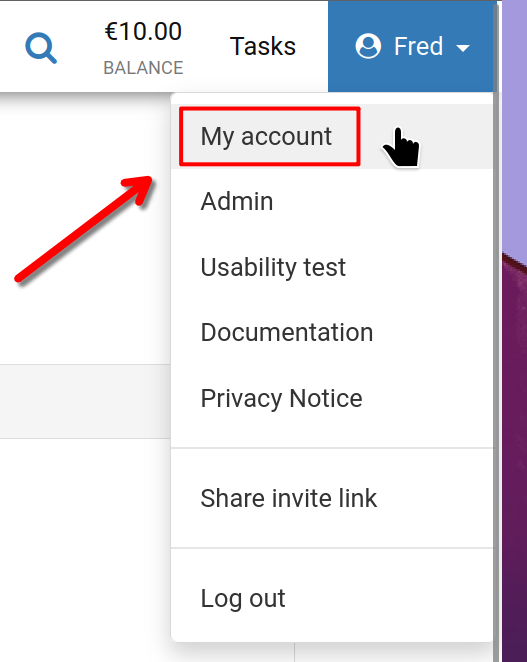
To begin, click your user name in the top right corner of the screen, then select 'My account' as illustrated.
My Account
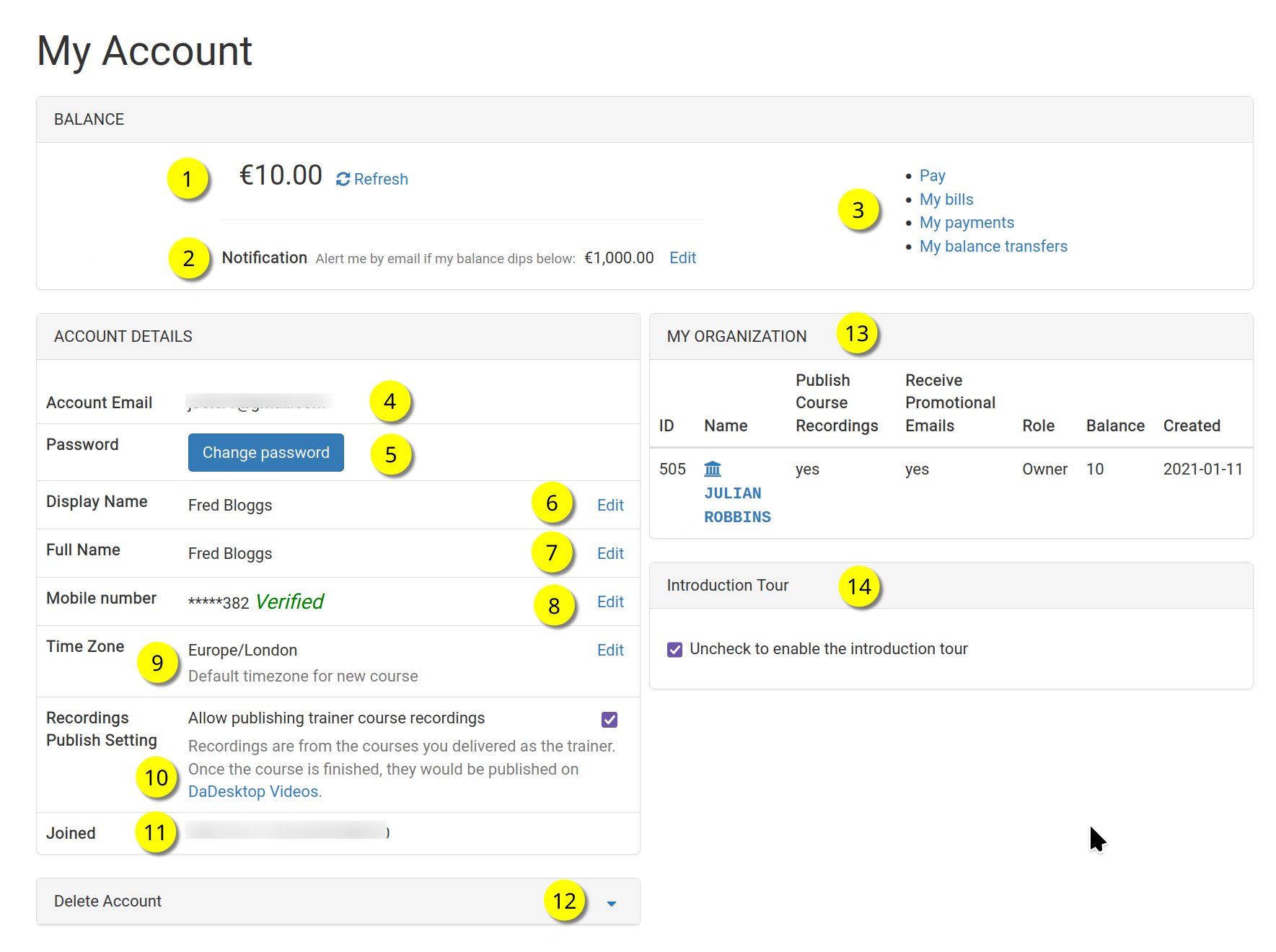
Below is the 'My Account' page.
Please refer to the corresponding numbers for a breakdown of each function.
Key
| Description | ||
|---|---|---|
| 1 | Balance | Displays the user's current balance. |
| 2 | Notification | A notification email can be sent when the balance falls below a value set by the user. |
| 3 | Billing Links | This section contains links for Payment, Balance, previous payments, and balance transfers. |
| 4 | Account Email | This field cannot be edited. |
| 5 | Password | You can change your password here. |
| 6 | Display Name | This is the name shown to others, and can be updated whenever needed. |
| 7 | Full Name | The user's full name, which can also be modified at any time. |
| 8 | Mobile Number | You can change this as necessary. |
| 9 | Timezone | This setting ensures that all times are displayed in the correct local time. |
| 10 | Recordings Publishing Setting | If the user is a Trainer, they can choose whether to allow course recordings from their machine to be published on the dadesktop.com/videos site. |
| 11 | Joined | The date the user joined DaDesktop. |
| 12 | Delete Account | To delete the dadesktop account, click here. All user details will be permanently removed. |
| 13 | My Organisation | Each user can also add an Organisation to their account. This section displays details of the user's organisation. |
| 14 | Introduction Tour | You can re-enable the introductory tour by unticking this box; the tour guide will then be shown again. |