Multi-region support
The trainer wraps up getting the standalone ready.
-
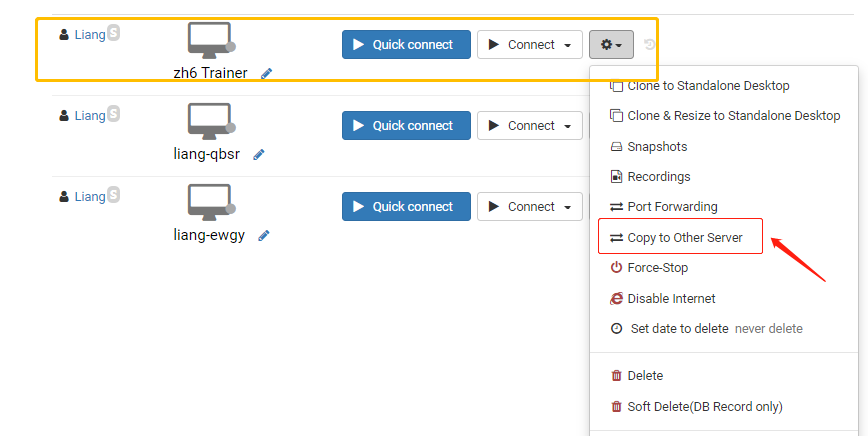
The trainer clicks Action, then selects the "clone to another server" option.
-
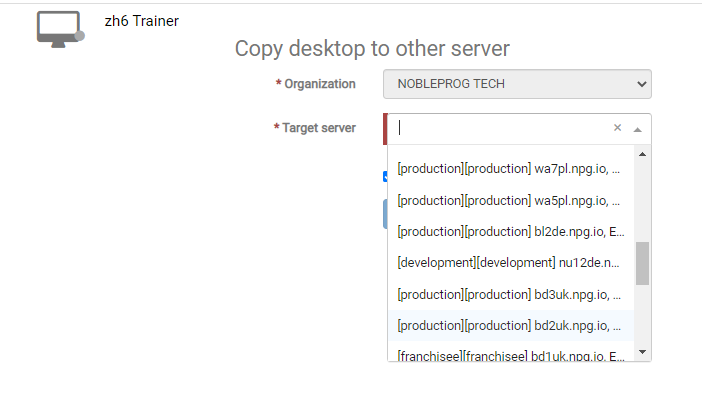
Choose the server delegates needed for a high-speed connection.
-
Return to the course Desktops, then choose the "clone from standalone" option to clone the needed servers.
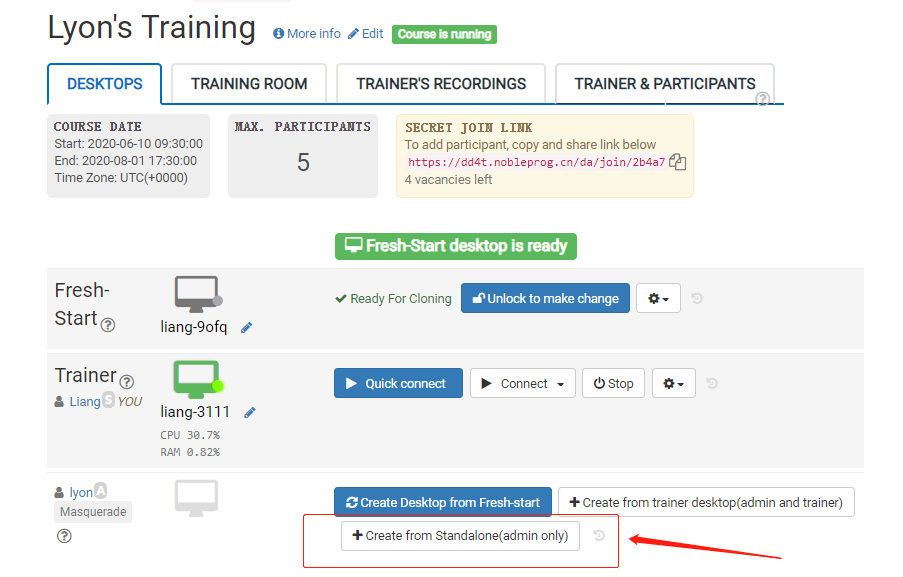
- Delegates can then use the DaDesktop (Virtual Machine) based on the fastest connection from their location in Canada.