Using Your Desktop as a Chrome App
A common snag when using a desktop inside a browser tab is that some of the keyboard shortcuts (like Ctrl+W or Ctrl+F4) get snatched up by the browser itself.
A simple workaround is to turn it into a standalone app using Chrome or any Chromium-based browser.
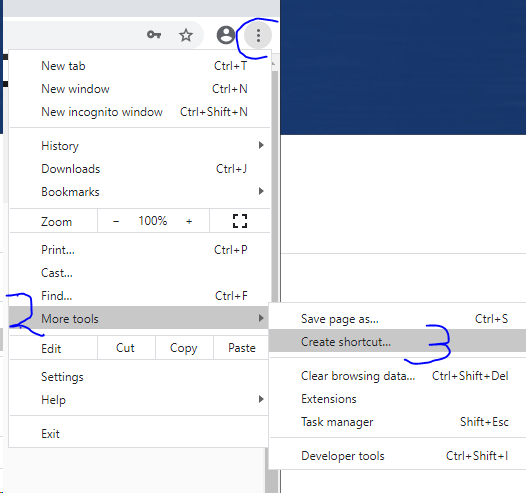
1. Go to More Tools > Create shortcut… and save it to your computer's desktop.
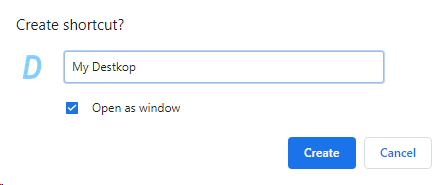
2. In the shortcut creation dialog, select “Open as window” before saving.
3. Launch your app by double-clicking the shortcut on your desktop.
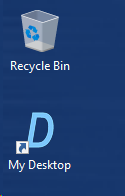
4. Fire it up and enjoy having your keyboard shortcuts working like a charm.